 Deutsch
learnly.school
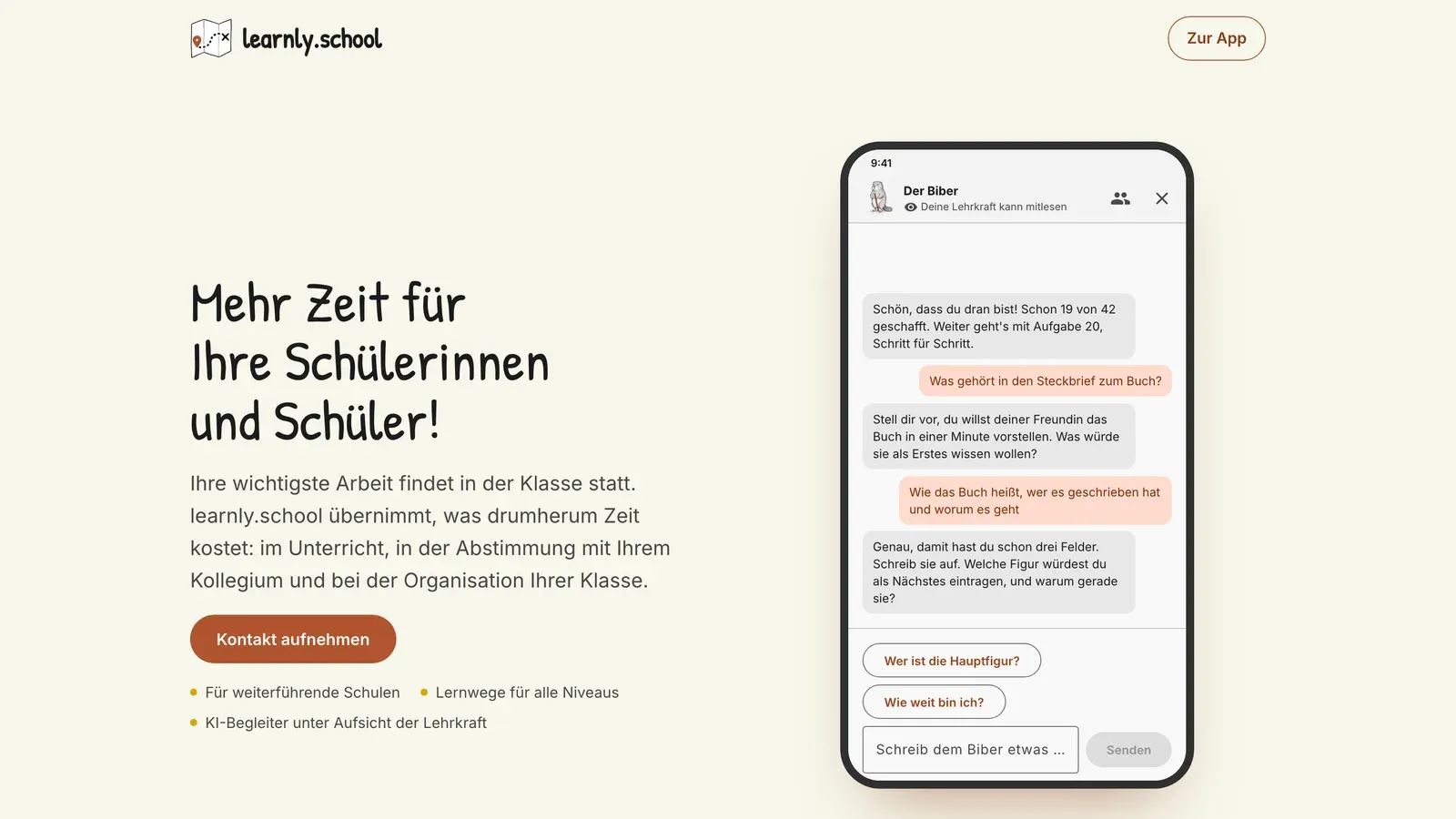
More time for the students.
A teacher’s most important work happens in the classroom. learnly.school takes over what costs time around it: in lessons, in coordinating with colleagues and in organizing the class. The platform is made for secondary schools, with learning paths for all levels and an AI companion that works under the teacher’s supervision.
Behind the friendly interface is an architecture that makes AI in schools responsible: sensitive data is encrypted right in the browser, and a local language model on its own server in Germany watches over every conversation before a message reaches a large AI model. Developed with agentic coding and in production use.
Learning path lists: one sheet for all levels
Differentiating lessons for several levels is demanding. With learnly.school, teachers only write the tasks, and the platform turns them into a print-ready sheet on which every level finds its path. One trip to the copier is enough.
A learning path list bundles everything on a topic: tasks, inputs and evidence of learning, each under the competency it practices, with materials, page and number. learnly.school lays out the sheet as a map, a hiking trail, boxes or a list; on the map and the hiking trail, every level finds its own path. Digitally, students find the same tasks in the app, on a tablet or on a smartphone. Below their own path, the next higher level invites them as a voluntary incentive: “You can do this too!” Signing in only takes a small ID card with a QR code.
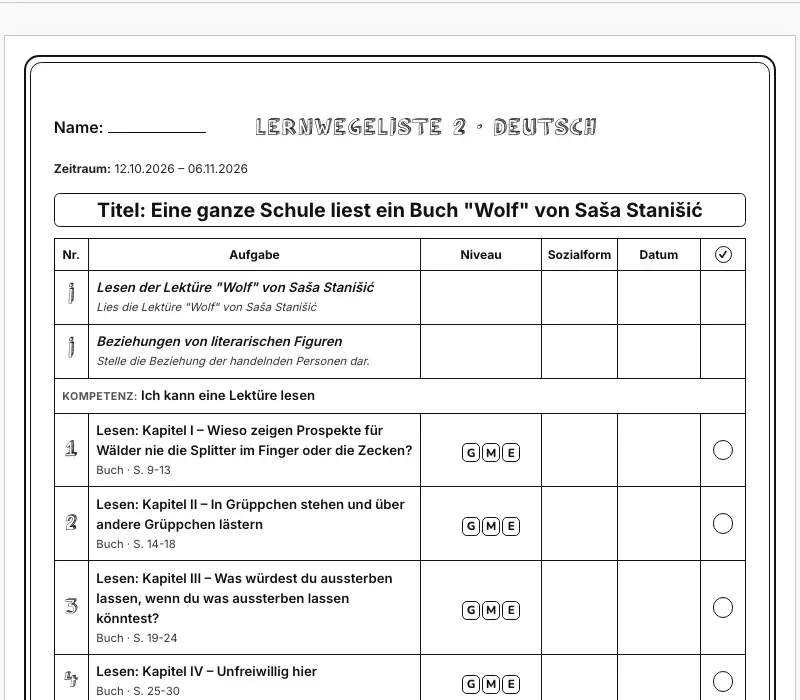
A printed sheet from a 6th grade German class: 42 tasks on the book “Wolf”, spread across five pages.
Bring in tried-and-tested material with AI. Many teachers have long had their learning path lists in Word. Under “Digitize automatically”, an AI reads the Word file or pasted text and recognizes tasks, inputs and evidence of learning. The teacher reviews the preview, corrects the assignment, and learnly.school creates the learning path list. An unstructured document becomes a clean data model, and the human has the final say.
The AI companion: help with how to proceed
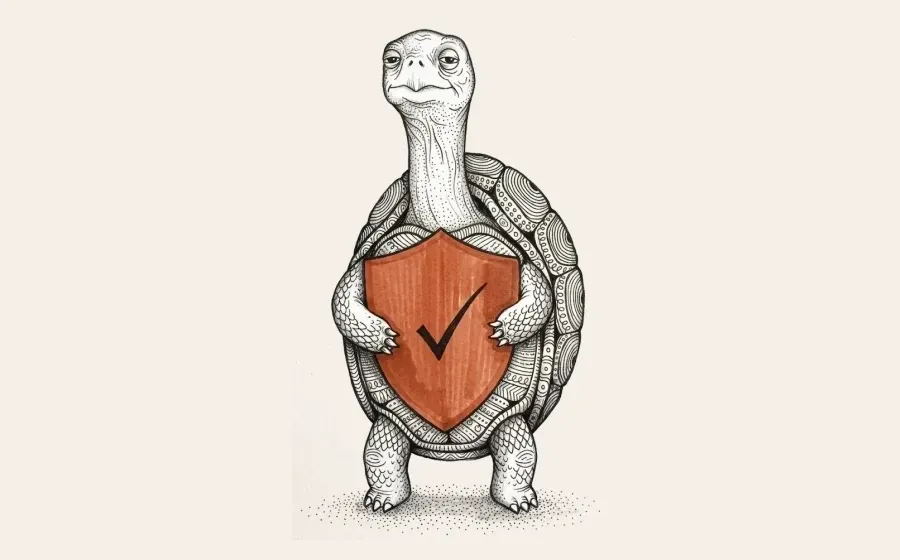
When a class works independently, many ask at the same time: What do I do next? Where do I find that? The AI companion answers such questions immediately while the teacher helps a group. It knows the learning path list with every task, page and number, and the student’s level. It guides toward the result with hints and follow-up questions; the children work out the solution themselves. Each child picks one of four animal companions: the beaver guides step by step, the squirrel cheers them on, the raven asks clever questions, the turtle explains things simply.

The four companions: beaver, squirrel, raven and turtle.
The teacher keeps supervision. The chat header says “Your teacher can read along”, and every conversation can be read word for word. For each task, the teacher can give the companion background knowledge and a model solution that the class never gets to see. And the instructions to the companions are open: all teachers at the school can read them word for word, and the school administration adjusts them and restores earlier versions.
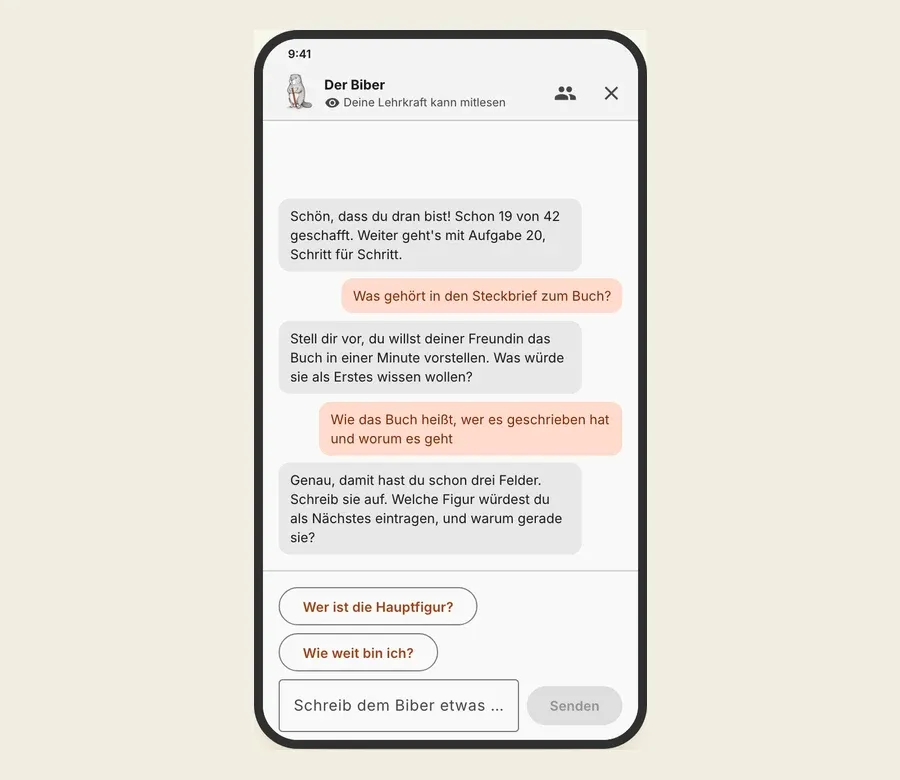
The companion on a smartphone: follow-up questions instead of solutions, with suggestions for the next question below. At the top, the notice “Your teacher can read along”.
Technically: The companion gets the context of the learning path list and the level, but never the child’s name. Its answers are written by an AI model from Anthropic; the model can be switched centrally (Anthropic, Google Gemini or a self-hosted model). Every answer appends suggestions for the next question, which appear as reply chips.
A local model as a child-safety guard
Before a child’s message reaches the large language model, a child-safety guard reads it: a small language model from Google’s Gemma family that runs on its own server in Germany. It classifies every message into seven categories, from self-harm to bullying to disclosure of personal data. Whatever it blocks is never sent, but ends up flagged in the teacher’s supervision view. Every answer from the large model also passes through the guard before it is displayed. If it detects signs of self-harm, the child immediately gets the number of the “Nummer gegen Kummer” helpline, and the class team gets an email, deliberately without name or content.
That the guard runs locally is enforced in the code, not merely configured: without a self-hosted model, the student chat stays locked. This way, no unchecked child message leaves the server.
Learning progress: who needs support next
The class works on the sheet, the teacher walks through the rows with a tablet and records with a tap which tasks someone has completed. learnly.school counts them at the student’s level and shows a bar for each person. At a glance, you can see who is making good progress and who needs help. For the class, this becomes a poster for the projector: for each task, it shows who works on it next, so the children working on the same task find each other.
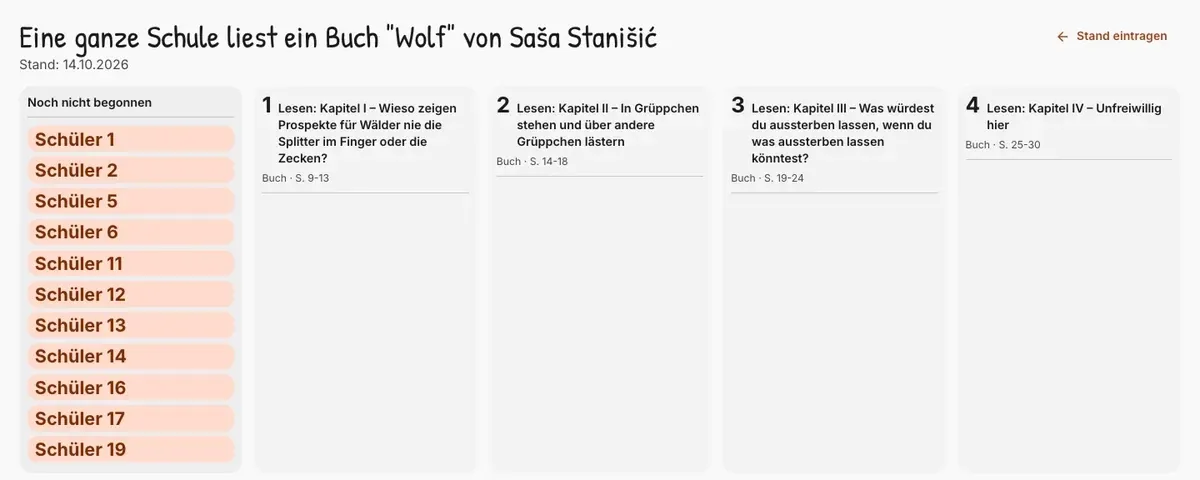
The poster for the “Wolf” reading journal in a 6th grade class; the students are numbered.
Subject team and curriculum plan
Teachers who teach the same subject in the same grade form a subject team. The learning path lists belong to the team: when a colleague writes the list for the next topic, everyone uses it in their classes. Changes reach everyone as a notification in the app, and the inbox stays clear. For the new school year, one click creates the new team with all learning path lists, and the knowledge stays at the school.
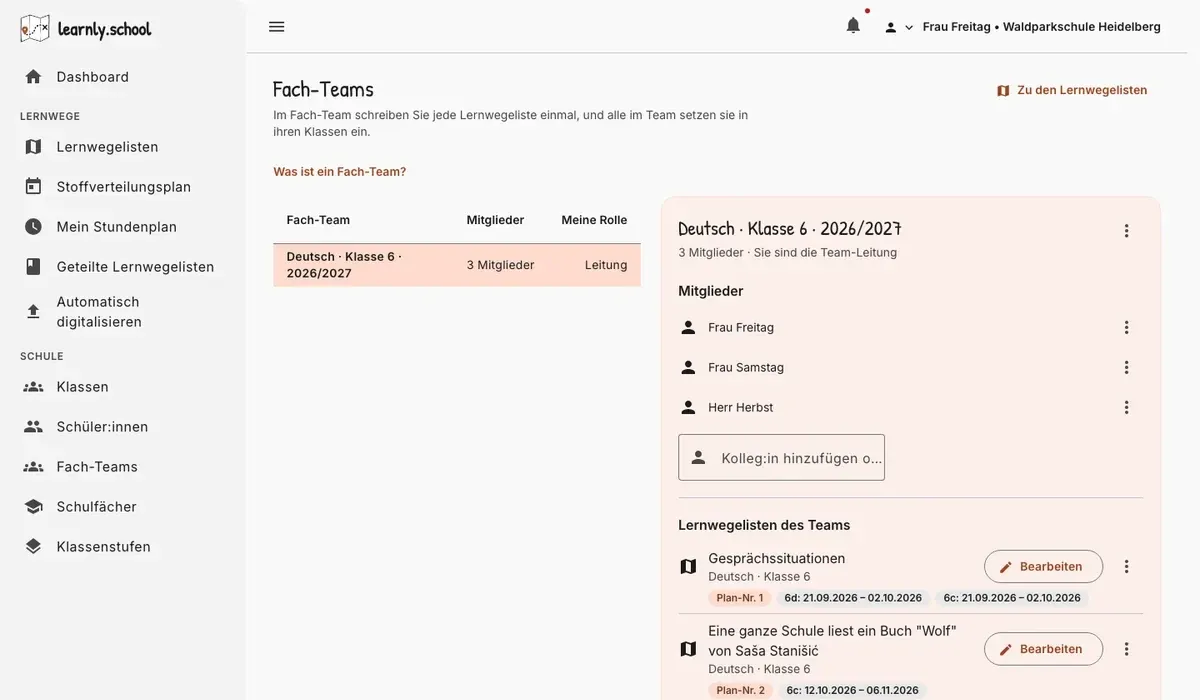
The German subject team for the 6th grade classes with its shared learning path lists. Names of teachers and classes have been changed.
In the curriculum plan, the team decides when each learning path list is due, and learnly.school does the math. Holidays and public holidays in Baden-Württemberg are built in; the teacher adds a sports day or class trip. From the hours per week, entered or counted from their own timetable, the platform determines for each class how many hours a period covers and how many are still free. For the subject conference, the plan is available as an overview, a weekly grid or day by day for printing.
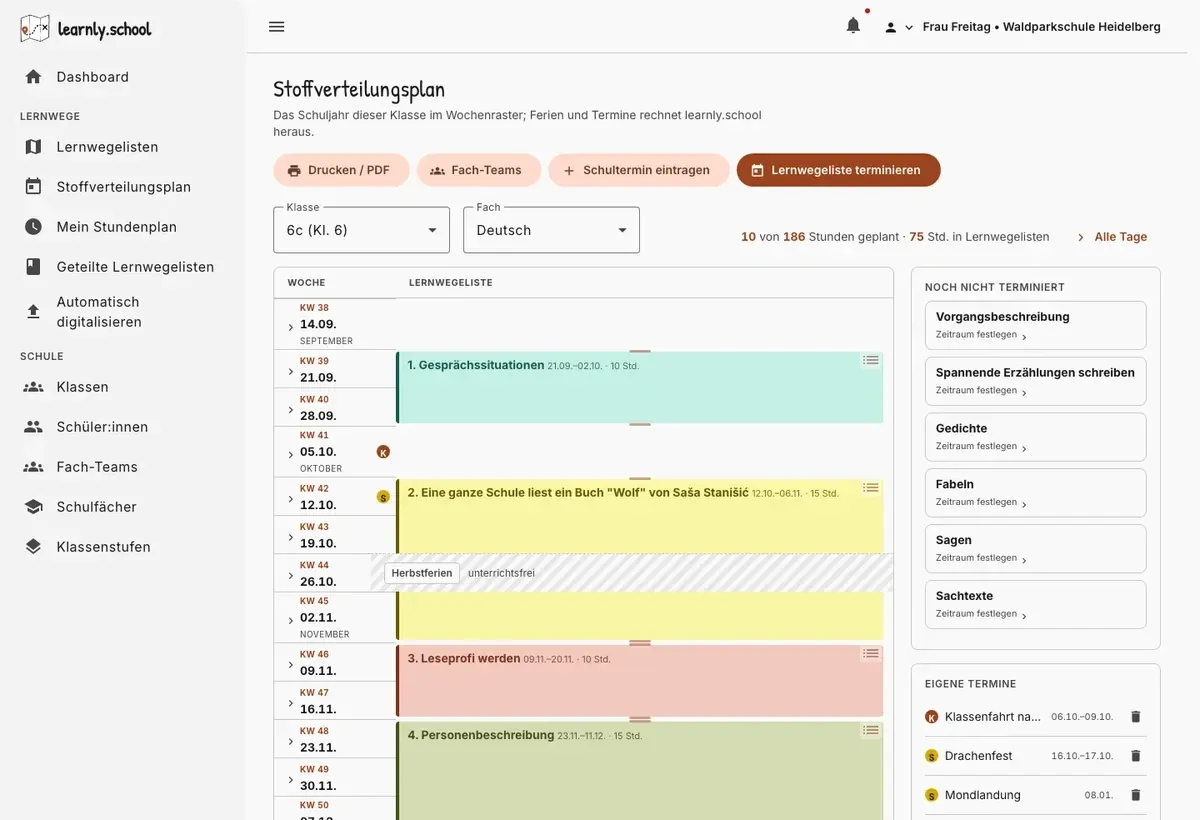
The curriculum plan for German in a 6th grade class.
Checklists: who still has something to hand in
Before a class trip, quite a lot comes together: consent forms, registrations, the packing list. In a checklist, the teacher checks off each item for each child individually, the dashboard sends a reminder before a deadline, and one click shows who is still missing something. An item can also be a choice, such as bus, train or car, and learnly.school counts the answers. Templates for class trips, excursions and the start of the school year fill in the first items.
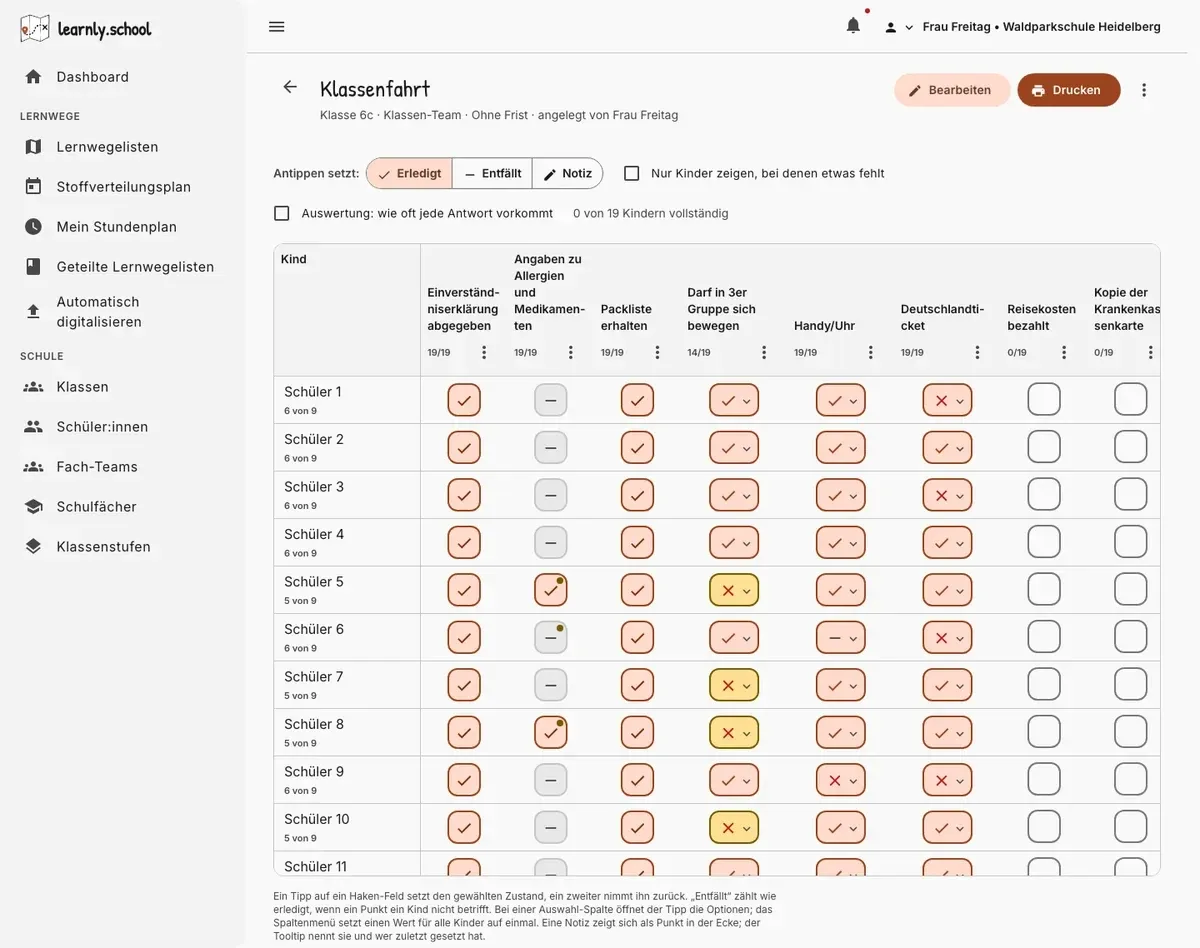
The checklist for a 6th grade class trip; the students are numbered.
Because checklists in particular often carry very confidential information, their texts are encrypted just like the children’s names. The next section shows how.
Client-side encryption: the key stays with the school
learnly.school assumes that complete security is no longer possible in times of AI: mistakes and attacks can happen. That is why several protective walls guard the data one behind the other, and the most important one still holds even if all the others fall.
This innermost wall is client-side encryption. The students’ names and all checklist texts are encrypted by the teacher’s browser before they reach the server. The database holds only gibberish, readable again only in the browser of a teacher who knows their school’s key password. A database leak, a stolen backup or a curious operator reveals not a single name.
Technically: The school management’s browser generates the key password from 32 random bytes, as 52 characters for printing and as a QR code for scanning. From it, HKDF-SHA-256 derives an AES-256-GCM key per school, with the school and the purpose as additional authenticated data. The server stores only a check value, does not know the password and cannot recover it. For encrypted schools, it accepts names only as ciphertext. When a teacher leaves the school, the school management generates a new key, its browser re-encrypts all data, and the server swaps it in a single transaction. Old printouts are worthless afterwards.
More protective walls
- Own server in Germany, self-managed, with always up-to-date software, secured access and regular security audits.
- Encrypted backups every night at a second location, with the keys kept separately.
- Passwordless sign-in via a link from an email, with optional two-factor authentication via app for teachers. Students only need their personal code, no email address.
- Data minimization: learnly.school regularly deletes older chats automatically. There is no advertising or tracking, and nothing loads from third-party servers when the page is opened.
Technology
learnly.school is consistently self-hosted: a NestJS backend, custom JWT authentication with magic links, an Angular frontend and PostgreSQL, without external CDN calls. The language models sit behind a custom abstraction; the guard runs via Ollama on its own server. Developed with agentic coding and in production use.
More at learnly.school, information for parents at learnly.school/eltern.